新版LinkIt 7697開發板 V1.1版使用序列埠印出指令亂碼問題
| 撰寫/攝影 | 郭俊廷 |
| 難度 |
★★☆☆☆ |
| 材料表 |
新版LinkIt 7697開發板 V1.1版使用序列埠印出的指令,燒錄程式後開啟序列埠一開始會有印出亂碼的現象。建議使用者使用Serial指令時鮑率設定為115200。
經檢測發現此亂碼為LinkIt 7697初始化訊息,因新版LinkIt 7697初始化訊息預設鮑率為115200,當使用BlocklyDuino3或arduino預設鮑率為9600時皆會出現亂碼。
現階段解決方案:
把預設鮑率改為115200初次開啟序列埠或按RST 按鈕就會正常顯示以下初始化訊息。
注意:
[pastacode lang="python" manual="loader%20init%0A%0Afota%3A%20TMP%20is%20empty%2C%20skip%20upgrade%0A%0Ajump%20to%20(0x10079000)" message="" highlight="" provider="manual"/]此訊息為加載程序初始化並且跳過升級的正常訊息。
[caption id="attachment_41377" align="aligncenter" width="829"]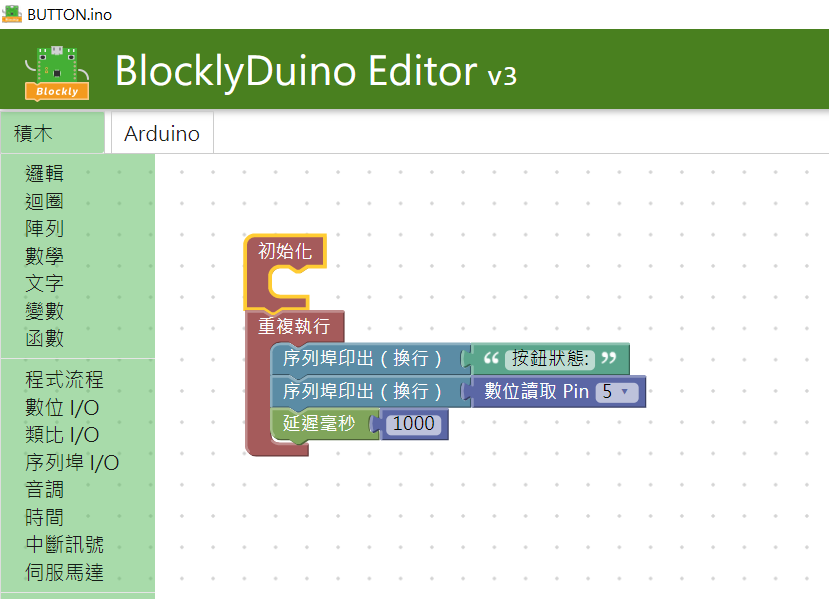 沒有設定鮑率,預設鮑率為9600。[/caption]
[caption id="attachment_41378" align="aligncenter" width="824"]
沒有設定鮑率,預設鮑率為9600。[/caption]
[caption id="attachment_41378" align="aligncenter" width="824"]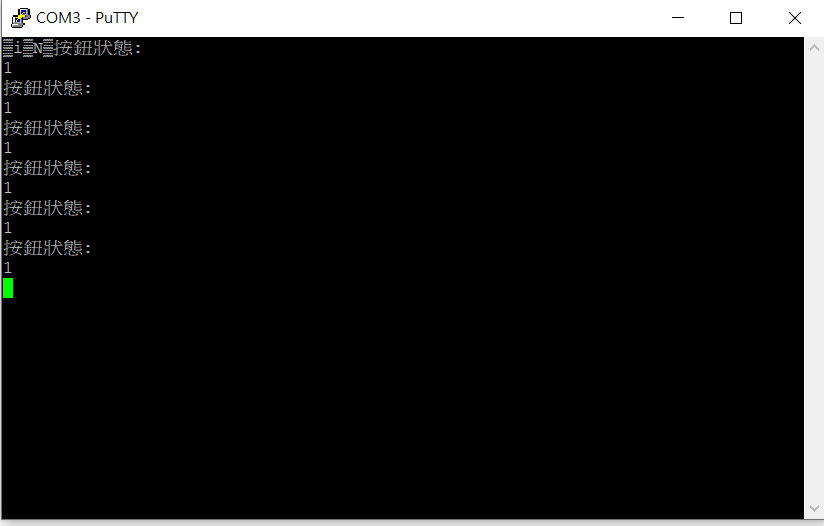 一開始會有亂碼的問題。[/caption]
把鮑率改為115200
[caption id="attachment_41379" align="aligncenter" width="956"]
一開始會有亂碼的問題。[/caption]
把鮑率改為115200
[caption id="attachment_41379" align="aligncenter" width="956"]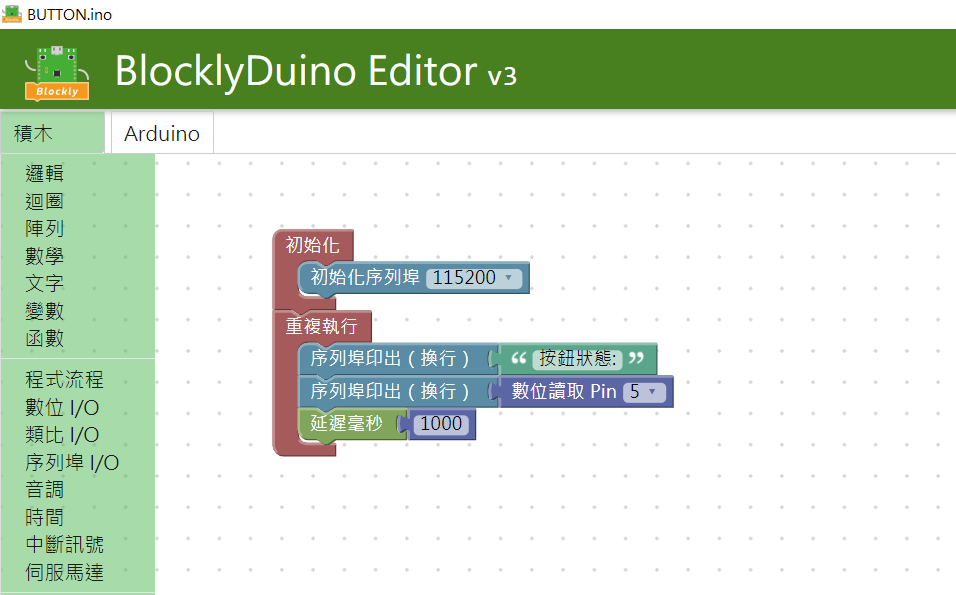 將初始化序列埠鮑率改成115200[/caption]
[caption id="attachment_41380" align="aligncenter" width="828"]
將初始化序列埠鮑率改成115200[/caption]
[caption id="attachment_41380" align="aligncenter" width="828"]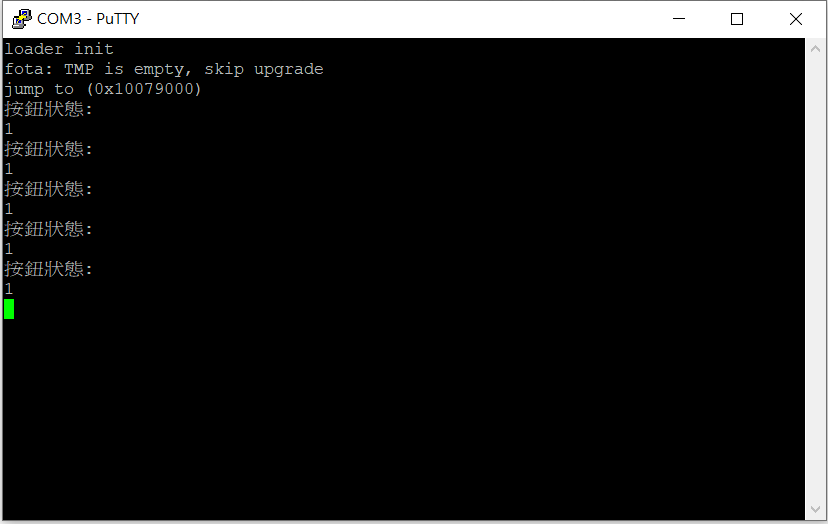 此時可以發現沒有亂碼,有初始化訊息。[/caption]
參考資料-聯發科技LinkIt 7697:https://bit.ly/2Lx8QHe
留言 💬 (0)
還沒有留言,來當第一個。